Design Form
Use the Design Form to upload your designs into your Art2Cart repository. The uploader automatically creates tags and a title from the filename of design image. If the filename includes underscore characters (_) between words in the filename, the uploader creates a title with space in places of the underscore and will create separate tags for each word.
Art2Cart accepts JPG, PNG, PDF and AI (2020) files. When using AI or PDF files, placed images must be embedded with the file, not just linked. Refer to the Adobe Illustrator documentation if you are not sure what this means.
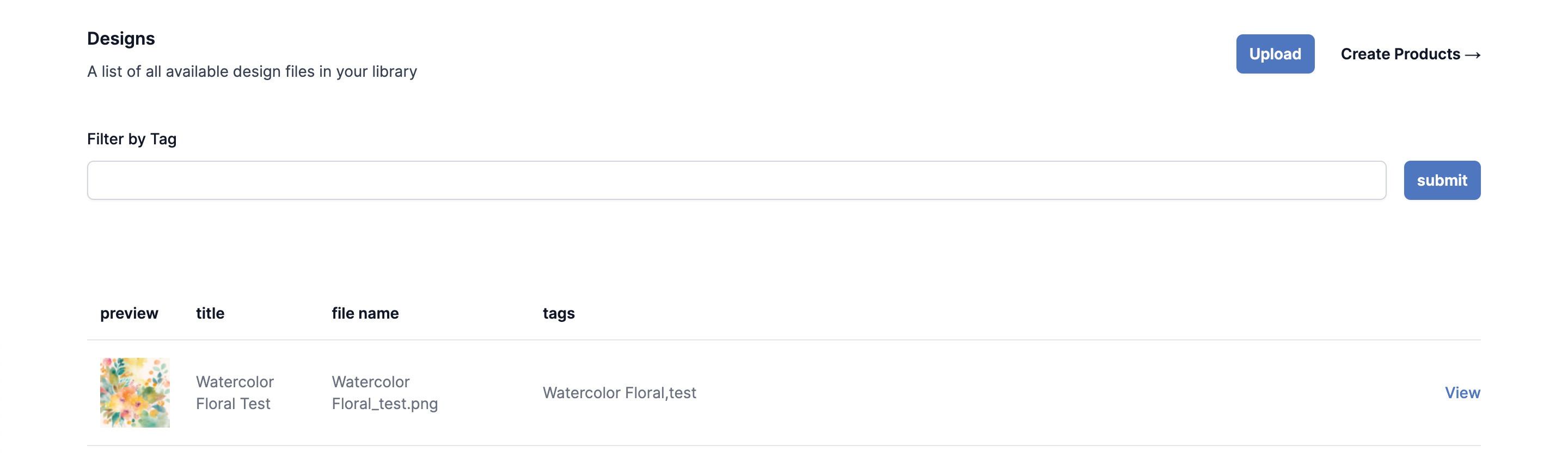
In this example, the uploaded design image is "Watercolor Floral_test.jpg." The automatically generated tags use the separator to produce "Watercolor Floral" as one tag and "test" as the other tag.
To edit the auto generate title and tags, or add a description, click the View link.
Metafields
Additionally within this editor, metafields can be attached to your design images. These user defined fields enable user defined data to be included in your listing (for example, tracking an artist for royalties).
A special tag "layer" can be used in conjunction with variable data to create customized or personalized data from a table of data (e.g., a team roster can be used to create an entire team's jerseys). For more information, see this section.